Product managers are hearing about “agentic AI” everywhere. These are AI programs that can autonomously carry out complex tasks, make decisions, and use software tools on our behalf.
As Aparna Sinha, SVP of Product at Vercel, noticed on ProductCon AI 2025:
We’ve moved from assistants to now agents. We’re now moving to autonomous systems, and we have to be ready.
In this piece, you’ll learn how to build an AI agent and take a step towards the AI PM role. We’ll explore everything from picking the right AI use case and tool stack to shipping a reliable workflow with smart guardrails and advanced tips.
Level up on your AI knowledge
Based on insights from top Product Leaders from companies like Google, Grammarly, and Shopify, this guide ensures seamless AI adoption for sustainable growth.
Download Guide
Why Do AI Agents Matter for Product Teams?
AI agents are poised to transform how products are built and run. They can automate user research, testing, customer interactions, and more.
As I noted several times at ProductCon San Francisco in 2025:
Winning companies are rebuilding their workflows around AI and how humans collaborate with agents.
In other words, the companies and product managers that integrate AI agents into their processes stand to move faster and gain a competitive edge. Rather than simply using AI as a one-off tool, they are embedding agents into daily workflows to handle routine tasks, coordinate information, and augment human teams.
For AI-powered product managers, learning to build and leverage these agents is becoming an essential skill.
AI Agents in Action: Use Cases for Product Managers
AI agents are already widely used in product management to save time and improve outcomes. Below are some of the most practical and high-impact use cases that product teams we talk to use today.
Market research and analysis
AI agents can act as tireless research assistants that don’t miss a crucial signal. Instead of manually tracking competitor blogs, industry reports, or user research, a product manager can deploy an agent to do this end-to-end.
For example, agents like Cassidy monitor competitor updates, summarize key changes, and send concise digests directly to Slack.
Tools such as AgentGPT or Auto-GPT take this a step further by allowing you to define a goal (like “research UX trends for 2025”) and letting the agent handle planning, browsing, synthesis, and summarization on its own.
The result is less time gathering information and more time making decisions.
Roadmapping and prioritization
Planning is another area where AI agents deliver immediate value. Agents can connect user feedback, AI product strategy, and backlog data into a single decision flow.
Platforms like Zeda.io use AI agents to organize incoming feedback, cluster insights, and even draft PRDs based on recurring user needs. An agent can continuously scan feature requests, surveys, and support tickets, identify patterns, and surface recommendations for what to build next.
Even general tools like Notion or ChatGPT, when paired with structured prompts, can act as planning copilots, generating draft strategy docs, user story outlines, or OKRs from raw inputs.
Project management and execution
Coordinating work across teams is tedious, and AI agents for PMs are increasingly stepping in as project coordinators.
Some AI-powered project management tools act like agents that automatically schedule tasks, send reminders, and flag risks before they become blockers.
Motion dynamically reshuffles your calendar as priorities change, while tools like ClickUp and Monday.com use AI to draft updates and highlight stalled work. You can also build lightweight no-code agents: for example, a Slack bot that monitors Jira tickets and posts a summary if something has been stuck in QA for too long.
These agents behave like dependable project assistants, keeping execution moving without micromanagement.
Quality assurance and support
AI agents are also improving quality across engineering and customer experience workflows. Testing, reviewing, and feedback analysis are especially well-suited for agentic automation.
A strong real-world example comes from Vercel, which introduced an AI “Pull Request reviewer” agent that automatically reviews pull requests, flags potential issues, and suggests fixes. The agent understands code context and runs checks in a sandbox, functioning like a tireless junior reviewer.
On the support side, agents like Viable connect to tools such as Intercom or Zendesk and group customer feedback by theme and sentiment, surfacing recurring pain points. Instead of manually triaging hundreds of tickets, product managers receive clear, structured insights they can act on.
These examples highlight a common pattern: AI agents excel at the busywork. This includes scanning large volumes of information, following defined procedures, and producing structured outputs. When deployed thoughtfully, they give product managers more time to focus on strategy, creativity, and decision-making.
The key is starting with a clear, bounded task and letting the agent own it end-to-end.
How much does it cost to build an AI agent?
Building a basic AI agent using no-code tools and existing LLM APIs typically costs from $50 to a few hundred dollars per month, combining API usage (often a few dollars to low hundreds, depending on traffic) with workflow tools like Zapier, n8n, or project management integrations.
More complex, production-grade agents with custom orchestration, evals, security, and engineering effort can range from low five figures (tens of thousands of dollars) for an internal pilot to several hundred thousand dollars or more annually when you factor in developer time, infrastructure, monitoring, and ongoing improvements.
AI Tutorial: How to Create an AI Agent Step by Step
Building an AI agent may sound technical, but you don’t need to be a machine learning engineer to get started. The process can be broken down into manageable steps. Here’s a step-by-step guide to creating a useful AI agent:
1. How to Build AI: Identifying Agent Opportunities
Start by looking for work that has three traits:
First, it is frequent. It happens every day or every week, not once a quarter. If the agent saves 10 minutes on something you do 30 times a week, it suddenly becomes a meaningful leverage point.
Second, it follows a recognizable pattern. Even if the input is messy, the shape of the work is consistent. You always collect data from the same places, make the same kind of decision, and produce the same type of output. That structure is what lets you turn the work into an agent loop.
Third, it has a clear handoff. The best agent opportunities end in an artifact the team already uses: a Jira ticket, a Notion page, a Slack update, a report for product leadership, a PRD draft, or a set of experiment ideas. If you cannot clearly say where the output goes, the agent will feel like extra noise instead of a workflow upgrade.
A strong agent opportunity does not just make work faster. It improves what you can deliver as a product team. It changes your speed to insight, your speed to iteration, your support quality, your ability to personalize experiences, or your ability to respond to the market.
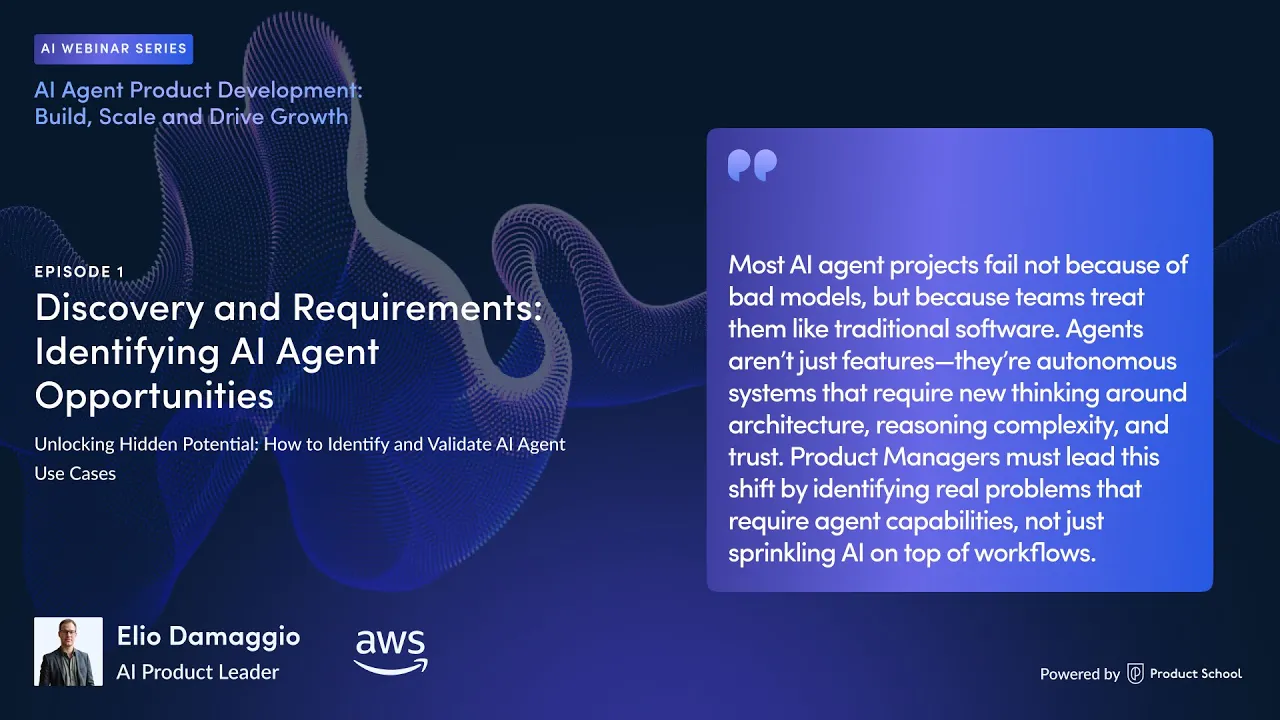
As Elio Damaggio, AWS AI Product Leader, puts it:
Identifying opportunities is not just about technical considerations. It's about finding a strategic purpose for building an AI agent that should not just improve workflow but shape our competitive positioning.
A simple way to make this actionable is to write a short opportunity statement before anything else: We will build an agent to do X, using data from Y, producing Z, so that we can improve outcome W.
If you can write that sentence clearly, you are not guessing anymore. You are building an AI agent with a purpose.
2. Define the agent’s goal and scope
Don’t start with “build an AI agent.” Start with one workflow you want to shrink from hours to minutes. Then write the goal like a product spec: trigger, input, output, and the exact decision it’s allowed to make.
A solid goal statement looks like this:
“Every Friday at 4 pm, pull support tickets tagged ‘billing’ from Intercom, cluster them into 5–8 themes, and post a one-page summary to Slack with 3 recommended product actions and supporting quotes.”
To keep it non-generic (and to avoid building a “random chatbot”), lock down these four things:
Job-to-be-done: what work gets done, for whom, and when (weekly triage, competitor monitoring, PRD drafts, etc.).
Boundaries: what the agent is not allowed to do (no emailing customers, no editing production settings, no closing tickets).
Acceptance criteria: what “good” output looks like (format, length, confidence threshold, required citations/links, must include data sources).
Failure behavior: what happens when data is missing, or the agent is unsure (ask a clarifying question, escalate to a human, or output “needs review”).
If you nail this step, tool selection becomes obvious, testing becomes measurable, and your agent becomes a reliable workflow component instead of a fancy demo.
3. Choose the right AI agent-building tools or platform
Pick the stack based on what the agent needs to touch (apps + data) and how much control you need (speed vs flexibility). A simple rule works well:
If the agent’s job is mostly moving info between tools (Slack, Notion, Jira, Sheets, Intercom), you can start with tools like workflow builders like Zapier or n8n (learn more below about the different types of tools used to build agents). You’ll ship faster because you’re wiring triggers + actions, not building infrastructure.
If the agent needs deeper logic, retrieval, or custom tool use (multiple steps, branching decisions, RAG, guardrails), you can try using LangChain.
If you want multi-agent collaboration (planner + researcher + critic) or want to test “agent teams,” reach for AutoGen.
If you’re building a lightweight agent capability inside your product or internal tool, use the OpenAI API directly (function calling / structured outputs) so your engineers can control cost, latency, and safety.
A PM-friendly way to decide is to write down the 3–5 systems the agent must integrate with and the 1–2 places it must output results. If that list is long, automation platforms win. If correctness and control matter more than speed, frameworks and APIs win.
4. Provide knowledge and context
Agents fail in a predictable way: they “sound right” while being wrong because they’re missing the right source of truth. Your job here is to define what the agent can rely on, and in what order.
Do three concrete things:
Define the sources: where the agent is allowed to look (Notion PRDs, Confluence docs, Jira tickets, product analytics, help center articles, release notes). Say no to “the internet” unless you explicitly want that.
Decide how it fetches facts: for internal knowledge, use retrieval (RAG) so it can pull the exact snippets it needs rather than guessing. For live data, connect APIs (e.g., Jira search, Intercom conversations, Amplitude events).
Set the output contract: require the agent to include references (links to tickets/docs, quoted snippets, timestamps) so a human can validate quickly.
A good agent doesn’t just answer. It produces an output you can trust because you can see where it came from.
5. Implement the agent’s logic
The trick is simple: an agent needs a clear workflow to follow, and it needs to know exactly what it’s allowed to do.
At its core, an agent runs in a loop. It figures out what the next step is, takes one step, checks if it’s done, and either keeps going or stops. That’s it. The magic isn’t autonomy. The magic is that the loop is reliable.
A practical agent workflow usually looks like this:
It first pulls the inputs it needs (support tickets, survey answers, meeting notes, analytics summaries).
Then it makes sense of them (clusters themes, ranks issues, extracts patterns).
Then it produces something a human can actually use (a Slack update, a one-page summary, a PRD draft, a set of recommended actions).
Finally, it decides what happens next: publish it, send it for review, or admit it’s missing context and ask for help.
The most important design choice here is control. Agents get messy when they have too much freedom. You want them to have a short list of allowed actions and clear limits. A solid “product team default” is to let it read widely. Let it write drafts. Once you’re certain in quality, let it publish changes or trigger customer-facing actions.
6. Test and refine the agent
Don’t test agents like you test UI. Test them like you test a messy real-world workflow: with bad inputs, missing context, and edge cases.
A practical test setup for product teams:
Create small AI evals packs: 20–30 real examples (tickets, notes, docs) that represent the range of what the agent will see. Include a few “trick” cases: duplicates, sarcasm, incomplete info, and conflicting requests.
Score outputs against a rubric: accuracy of facts, usefulness of insights, formatting consistency, and whether it followed boundaries (no invented metrics, no actions outside permission).
Add “uncertainty handling” checks: when it doesn’t have enough info, does it ask the right question or flag “needs review” instead of bluffing?
Then iterate surgically. Adjust the prompt, tighten the output schema, reduce tool access, or add retrieval context. With agents, small changes (a constraint, a required citation, a confidence threshold) often improve reliability more than better prompting.
Most-Used Tools and Frameworks for Building AI Agents
The AI tooling landscape is evolving fast, and product teams have a growing arsenal of platforms to build agents. Here we highlight some of the most used tools and how you can apply them in your workflow.
1. OpenAI and Conversational AI Platforms
One of the quickest ways to create an AI agent is to leverage existing large language model (LLM) APIs such as OpenAI’s GPT-5.2 or Anthropic’s Claude.
These models serve as the “brain” of your agent. You send them a prompt, and they return an answer.
One of the fastest ways to understand agents today is to use ChatGPT in agent mode. Instead of behaving like a passive chatbot, it can take a goal and then run a sequence of steps on your behalf (researching, navigating websites, working with files, and using connected tools) while showing you what it’s doing as it goes.
What makes it “agentic” is that it can switch between two modes: reasoning (deciding what to do next) and action (actually doing it).
So rather than giving you one answer, it can do the boring middle part: open pages, extract details, compare options, fill in a spreadsheet, draft the output, then come back with something ready to use.
The most important part is control. Agent mode is designed to keep you in the driver’s seat. It will typically ask for permission before taking consequential actions, and you can interrupt or take over at any point. That’s the “production mindset” difference between an agent and a prompt.
2. LangChain and Developer Frameworks
For more complex or custom AI agents, developer frameworks like LangChain are still a go-to choice because they turn an LLM into something that can actually do work. You define what tools the agent can use, what counts as success, and how it should behave when it is unsure. LangChain then helps orchestrate the back and forth between the model and those tools.
What has changed recently is that the LangChain ecosystem is now more clearly split into three layers. LangChain helps you ship quickly with prebuilt agent patterns and integrations, LangGraph is the lower-level engine for building more controlled, stateful workflows, and LangSmith is the layer for tracing, observability, and AI evaluations so you can see what the agent did and improve it over time.
Say you want a weekly “what changed in customer pain” report. Without an agent, a PM pulls tickets from Intercom, scans themes, checks Jira to see what’s already planned, then writes a summary for Slack or the product review.
With LangChain, you can build an agent that does that whole workflow in one run:
It pulls the last 7 days of Intercom tickets through an integration, summarizes and clusters them into themes, checks Jira for matching epics or keywords, and then drafts a clean report that includes evidence and links. The agent can also propose what to do next, like “ship a fix,” “update docs,” or “run a discovery call,” but it does not take action unless you allow it.
LangGraph is worth calling out because it reflects how teams build agents in production right now. Instead of a single linear chain, you often need loops, branching, memory, streaming outputs, and human review steps.
LangGraph is designed around those realities, and even the current LangChain agent's runtime is built on a graph approach, so tool use and decision flow are easier to control and debug.
Finally, if you want a more visual way to prototype these systems, tools like LangFlow and Flowise let you assemble agent and retrieval components in a node-based builder, then iterate quickly before handing off to engineering.
Just keep the mental model straight. These are great workflow builders and prototyping surfaces, but the hard part is still the agent design, tool permissions, and evaluation.
3. AutoGPT and Autonomous Agent Projects
Projects like Auto-GPT and BabyAGI showed a new idea: you could give an LLM a goal, and it would try to break it into steps and work through them on its own. Auto-GPT popularized the “agent loop” pattern, where the model plans, acts, checks results, and repeats until it thinks it is done.
BabyAGI was even more bare-bones. It introduced a simple task list that the agent generates, prioritizes, and executes in a loop, often backed by a basic “memory” store. It is worth noting that the original BabyAGI repo has been archived, and the author explicitly frames it as an idea starter rather than something meant for production.
Since then, the story has matured. Auto-GPT is no longer only a scrappy demo you run locally. The project describes itself as a platform for creating, deploying, and managing continuous agents, with a more productized approach to running agents over time.
AgentGPT also exists as a browser-based way to try the idea quickly, mostly as an accessible demo of the “give a goal, watch it try” experience.
It is also useful to separate “autonomous digital workflow agents” from “model orchestration” research.
Microsoft’s JARVIS repo points to the HuggingGPT work, which uses an LLM to plan and route tasks across multiple specialized models. The takeaway for product teams is not “ship this.” The takeaway is the pattern where an LLM can act as a coordinator that chooses which tools or models to use for each step.
For product managers, use these autonomous agent projects as a sandbox to learn the patterns and limitations. They are great for building intuition about planning loops, tool permissions, memory, and failure modes.
But when you want something dependable, you typically move toward constrained agents with clear tools, clear stop conditions, logging, and AI evals that catch looping and bluffing before users do.
4. Zapier and n8n for No-Code Workflows
Not every AI agent needs custom code. Often, the fastest win is wiring together the tools you already use with a no-code workflow builder like Zapier, Make, or n8n. You set a trigger, add a few steps, and drop in an AI step when you need judgment or summarization.
A simple product team example we can think of is this. Every time a new Intercom conversation is tagged “bug,” the workflow pulls the message, asks the LLM to classify severity and extract key details, then creates a Jira ticket with a clean title, repro steps, and the original link.
If severity is high, it also posts an alert to a Slack channel. That’s an agent in practice. It is doing a workflow that your team would normally do manually.
n8n is especially useful because it is open-source, can be self-hosted, and supports more advanced AI patterns, including the ability to plug in LangChain-style logic when you want the workflow to branch or loop.
The big benefit for AI PMs is speed. You can ship an MVP in a day, learn what the agent should actually do, then decide later if it needs a more engineered version.
Advanced Tips And Best Practices For Agentic Workflows
Building an AI agent is not a “set it and forget it” endeavor. To truly reap the benefits, you need to manage and refine these agents carefully. Here are some advanced tips and best practices for product managers overseeing AI agents:
1. Keep humans in the loop at first
Even if your agent can run end-to-end, start with it producing drafts, summaries, and recommendations, not pushing buttons in production.
The fastest way to build trust is to make the agent useful while it is still supervised. Once the product team sees it consistently gets the intent right, you can gradually give it more autonomy, one permission at a time.
2. Start small and iterate
The best first agent is boring in a good way. One clear job, one clear output, and one place it lives in the workflow.
Ship that, learn where it breaks, then expand after iterative testing. If you try to build an “everything agent” from day one, you usually end up with something that is impressive in a demo and unreliable in real work.
3. Measure real value, not hype
Agents feel magical, so it is easy to over-credit them. Pick a couple of simple measures that prove impact. Time saved per week is a great starting point. So is a reduction in missed issues, faster triage, or fewer support escalations.
If you cannot point to a tangible win after a few iterations, it is a sign that the AI use case needs a tighter scope or better inputs.
4. Add guardrails and test failure modes
Agents do weird things when they have too much freedom or unclear stop conditions. Give them limited tools and clear boundaries, and then actively test the ways they might fail.
Feed it messy inputs, incomplete data, conflicting requests, and edge cases. You are looking for the dangerous behavior: confident bluffing, looping, or taking actions that were not supposed to be taken. It’s better to catch that in testing, not in production.
5. Treat privacy and security as product requirements
If your agent touches customer data, internal product roadmaps, or anything sensitive, assume it will eventually be asked to do something risky by accident. Minimize what it can access, sanitize inputs when needed, and keep logs private.
If it plugs into critical systems, involve security early so you do not discover policy problems after the agent is already in the workflow.
6. Document the agent like a real feature
Once an agent is part of the team’s workflow, someone will depend on it. Make it easy for future you to remember what it does and how to fix it.
Keep a short page that explains the goal, the data sources, the tools it can use, what “done” means, and what to do when it fails. This also helps with onboarding and makes agents less “mysterious” to the rest of the org.
7. Keep learning and stay adaptable
The tooling and best practices are changing fast, so treat your agent work like an ongoing capability, not a one-time project.
Do lightweight reviews, share what is working, and upgrade models or prompts when it makes sense. Agents are a moving target, but teams that keep iterating end up compounding their advantage.
Go from AI-Integrated to AI-Native
There’s a big difference between teams that “use AI” and teams that are AI native. The first group adds AI on top of existing workflows. The second group rewires how work gets done, so humans and agents collaborate by default. It’s an operating system change.
Agentic AI is one of the fastest paths to that native state because it forces the right habits. You stop thinking in prompts and start thinking in workflows. You define inputs, tools, boundaries, outputs, and evaluation. You build systems that do work, not demos that sound smart. Over time, that changes how you write specs, run continuous discovery, ship features, and even how you make decisions as a PM.
And this is where the gap gets brutal. When competitors bake agents into their day-to-day, the speed difference is not incremental. It compounds. A team that feels “a little behind” can suddenly feel a decade behind in a matter of months, because the pace of change is so steep and the productivity gains stack on top of each other.
That’s also why we teach Advanced Agentic AI at Product School. Building agents is not just a technical skill. It’s a product skill and a career skill. If you want to move from experimenting with AI to leading with it, the Advanced AI Agents course is designed to help you do exactly that.
2025 Product Transformation Playbook
Check out the latest product trends with insights from Product School CEO Carlos Gonzalez de Villaumbrosiaon everything from growth experiments and leaner orgs to AI adoption and emotionally intelligent leadership.
GET THE PLAYBOOK
Updated: February 2, 2026