Inside this article:
This guide breaks down AI experimentation: how AI PMs can test AI-driven features with more rigor, choose the right experiment for the question, and turn results into product decisions that actually hold up.
How to design AI experiments that produce real signal: Set sharp hypotheses, choose metrics that connect model quality to user and business outcomes, and avoid noisy tests that tell you nothing useful.
Which experiment type to use and when: Learn when to use A/B tests, prototypes, fake-door tests, canary releases, and adaptive methods based on whether you’re validating demand, usability, trust, impact, or optimization.
How to handle what makes AI experiments harder: Account for non-deterministic outputs, model drift, bias, safety, and human trust so you can move from pilot-stage guessing to confident rollout decisions.
McKinsey industry data shows most companies are still experimenting, with only a minority having scaled it beyond pilots.
That’s a harsh reminder that “building the thing” isn’t the hard part; building the right thing is. Let’s see how you can run AI experiments properly (step-by-step) and go beyond stage one.
Integrate AI into Products and Processes
Get insights on AI product implementation from the CPO at Financial Times, Debbie McMahon
GET THE PLAYBOOK
How to Set Clear Goals and Hypotheses for AI Experiments
Every AI experiment should start with a clear hypothesis and metrics. Product teams can begin by filling in the statement “We believe doing X will impact Y because Z”. This forces you to focus on a specific change (X) and the expected outcome (Y).
For instance, you might hypothesize, “If we add AI-generated hints in the onboarding flow, it will raise new-user completion rates because users will understand the product faster.”
Choose success metrics upfront
Once the hypothesis is set, choose success metrics before you run the test. Pick one primary metric (or a small handful) that directly reflects your business or user goal.
For example, if the thing you’re experimenting with is meant to reduce support load, your key metric might be the number of support tickets per user. If you’re testing an AI recommendation, you might track click-through rate or conversion rate.
Defining these metrics upfront keeps the team honest. You’ll know exactly what counts as a win (or loss) when the data comes in. Secondary metrics (e.g. usage volume, time on task) can help explain user behavior, but avoid diluting your focus with too many OKRs.
How to Choose the Right Metrics
AI experiments require both technical and user-focused metrics. At the model level, track core evaluation metrics like accuracy, precision, recall, F1 score, and latency. These tell you if the AI is working correctly and fast enough. For example, accuracy measures how often the AI’s predictions are correct, while latency measures how quickly it responds.
However, model metrics alone don’t capture user impact. Product-level metrics bridge that gap. These measures show how the AI feature affects actual users.
For example, is the new AI tool being used regularly? Does it save users time? Does it boost customer satisfaction or reduce support tickets? Suppose your experiment is an AI-powered search on your site. A product metric might be adoption rate or time-to-value. These metrics show whether the AI solves the right problem and how it changes the product experience.
Business-level metrics capture the bottom-line effect. These might include conversion rate, revenue per user, cost savings, or risk reduction. If an AI feature is meant to drive sales, track revenue lift. If it’s meant to automate work, track labor hours saved. These indicators tie the experiment to strategic product goals.
Here’s what it looks like for an onboarding flow experiment:
Crucially, make sure metrics are actionable and aligned with your objectives. For each metric, ask: if it moves, what do we do?
Metrics should lead to clear decisions.
For example, if accuracy improves but adoption stays flat, maybe focus on UX. Also, balance quantitative data with qualitative signals: consider user satisfaction surveys or feedback to gauge trust and perceived value. Modern AI demands “trust, safety, and user experience” metrics alongside accuracy.
In other words, track not just whether the model is “right,” but whether users find it helpful and reliable. You can summarize important metrics in a simple list aligned to goals. For example:
Model performance: accuracy, precision, recall, F1 score, response time.
User experience: feature usage rate, user satisfaction, retention, task success.
Business impact: conversion rates, revenue lift, cost savings, error reduction.
Trust and fairness: error types, bias rate across demographics, and compliance with ethics goals.
Each experiment should test how the AI moves these needles. Choose one or two primary indicators (from above) as your North Star.
For instance, Ryan Daly Gallardo, SVP of Product at Dow Jones, summed up this approach perfectly during her ProductCon talk. Rather than assuming AI summaries would impact engagement negatively, her team asked a simple, focused question: “What effect do AI-powered summaries have on user engagement?”

Play With Different Experiment Types and Methods
Not every test involves code running in production. There are many ways experienced AI product managers run AI experiments:
A/B tests are still your best friend
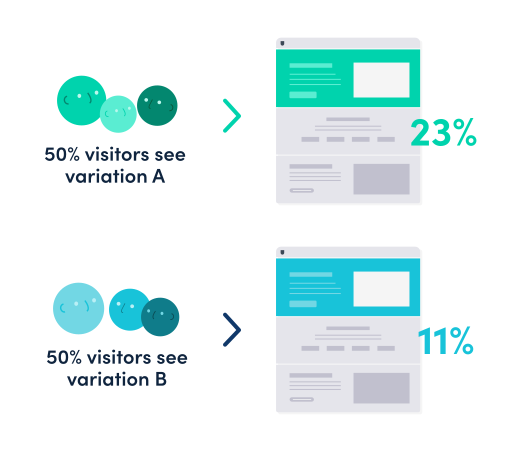
A/B testing is when you split users into two groups, and only one group gets the new AI feature or an update. The other group stays on the current experience, so you can compare outcomes cleanly.
The goal is to keep it simple. You can pick one primary metric, run the test long enough to capture normal usage, and don’t change anything else at the same time. If you tweak the model and the UI in the same experiment, you’ll never know what caused the result.
A good mindset example: a media team testing AI-powered summaries didn’t guess whether engagement would go up or down. They asked one question and ran a straight A/B test to find out.
Try multivariate tests when things get complex
A multivariate test is when you test multiple changes at once by mixing combinations across users. Think tone, plus length, plus formatting of an AI summary, all in one experiment.
This is useful when you’re past “does this work at all?” and you’re in “how do we tune it?” mode. The tradeoff is complexity: setup and analysis are harder, and you need more users to get a reliable read.
If you don’t have the traffic for it, don’t force it. Run sequential A/B tests instead and keep learning.
Fake-door tests can save you weeks of build time
A fake-door test is a demand test: you show the entry point for a feature before it exists. Users click “Try AI assistant,” and instead of the feature, they see “Coming soon” or a waitlist.
This tells you whether people want the capability enough to justify building it. It’s especially useful for AI ideas that feel exciting internally but might not matter to users.
You can also use pretotypes instead of prototypes here in the early stage. Pretotypes test demand and behavior with the cheapest possible version. You’re not proving you can build it—you’re proving it’s worth building.
Just be honest in the follow-up screen. Don’t pretend the feature is live if it’s not.
AI prototypes and user tests show you if people get it
AI prototypes are different from regular prototypes because you’re not just testing a flow or a screen. You’re testing a relationship: what users think the AI can do, how much they trust it, and whether they feel in control when it makes a “move.”
This is where you catch the real issues: confusion, mistrust, weird expectations, and “this isn’t how I’d use it.” Those problems won’t show up in your model metrics, but they will absolutely show up in your retention later.
If users can’t predict what the AI will do, they won’t rely on it. That’s the signal you’re looking for.
Canary releases keep things safe in production
A canary release is a gradual rollout: ship the AI feature to a small percentage of users first, watch it closely, then ramp up. It’s the safest way to launch AI because edge cases always appear in the real world.
Start tiny (1–5%), monitor your key metrics, and have a rollback plan ready. If quality drops, latency spikes, or user complaints jump, you pause and fix before it spreads.
This is also where beta programs help. A smaller, opt-in group can give you sharper feedback before a wide release.
Adaptive experiments let the AI learn as it goes
Adaptive testing is when you don’t keep the traffic split evenly the whole time. Instead, the system shifts more users toward the best-performing version as it learns.
One common approach is a multi-armed bandit, which is basically “keep testing, but allocate more traffic to what’s winning.” It can speed up optimization once you already know the feature or AI agent deployment is valuable and you’re tuning variations.
It’s not a shortcut around thinking, though. You still need clear success metrics, guardrails, AI data security, and monitoring, because “winning” can flip if the model changes or your user mix shifts.
A simple way to choose the right experiment type
If you’re not sure what to run, match the method to the question:
A/B test when you want a clean answer on impact.
Prototype test when you want to see if users understand and trust it.
Fake-door test when you want to know if users even want it.
Canary release when the feature is real, and you need to launch safely.
Multivariate or adaptive tests when you’re optimizing, not proving value.
Overcoming AI-specific Challenges
AI experiments have unique hurdles. Here are the ones that experienced product teams anticipate and tackle strategically.
Nondeterministic outputs
Unlike a simple feature toggle, an AI model can produce different answers each time. The same input today might yield a different output tomorrow.
This variability means no two runs are identical. Therefore, experiments must account for this noise. In practice, make sure you run experiments long enough and with enough samples to average out randomness.
Also, freeze the model version. If the AI is updating mid-test, you can’t trust the results. Use a static model or seed the randomness so that the two groups are comparable.
A static model means you “freeze” the exact AI setup for the duration of the test. You use the same model version, same prompt/config, same retrieval sources so it doesn’t change mid-experiment.
Seeding the randomness means you set a fixed random “starting point” (a seed) so the model’s sampling behaves more consistently. You make outputs more repeatable for the same input, which helps you compare Group A vs Group B without randomness masking the difference.
Model updates and drift
AI models evolve. Even if your experiment shows a win today, a data change or model retraining next month could erase that gain.
Build ongoing AI evaluation into your process. After release, continuously monitor key metrics for “drift” (gradual degradation) or sudden changes.
Track model output quality over time: are accuracy or error rates creeping up? Are users suddenly complaining more? Set up alerts for major drops. Regularly re-run critical tests as new data comes in. This way, you catch problems before your users do.
Bias, fairness, and ethics
AI can introduce subtle biases and risks. Always include checks for fairness in your experiments. For example, segment your metrics by user demographics or cohorts to see if the AI helps one group but hurts another.
Test the AI with edge cases and adversarial inputs to see if it breaks (e.g. rare dialects, hostile prompts). Ensure privacy and security from the start. If your AI feature uses sensitive data or RAG sources, confirm no protected content leaks in results.
For anything high-stakes (finance, health, legal advice, etc.), keep humans in the loop during testing. Human evaluators can catch issues like tone, compliance, and explainability that algorithms might miss. Whenever a trade-off arises (speed vs fairness, personalization vs privacy), spell it out, get stakeholder input, and perhaps set up more granular tests.
Jeetu Patel, President and Chief Product Officer at Cisco, similarly argued that: “Security and safety are not looked at as odds with productivity. It's actually looked at as a prerequisite of productivity.”
In short, build AI ethics into the experiment plan: add guardrails, red-team tests, and fallback modes so that worst-case scenarios stay safe (and productive).
Interpreting Results and Next Steps
Once your data is in, stick to the plan. Analyze the primary metric first: did your hypothesis hold?
If the experiment shows a clear win, great. You have evidence to roll out (though double-check segment splits and statistics first). If it shows no change or a drop, don’t panic: that’s a useful insight too. Dig into secondary metrics and user feedback to understand why.
Sometimes a “failure” reveals a wrong assumption or a hidden issue. For instance, maybe users got confused by the feature (as seen in prototype tests), so they stopped using it.
Remember statistical significance vs practical significance
A tiny change in accuracy may not justify a launch if it has no real user impact. Conversely, a modest metric bump could be worth it if it solves a pain point. Always tie the outcome back to user value: did the AI feature make the product more useful, faster or easier? If not, even a statistically significant improvement might not be actionable.
Whether the result is positive or negative, extract lessons.
Update your documentation with the experiment outcome.
Share findings with engineering, design, and leadership – building a culture of learning is key.
For example, if the AI didn’t improve engagement, figure out if the model was weak (need a better algorithm) or the feature was the wrong idea (need a different approach). You may want to run follow-up tests: tweak the model, adjust the prompt, or try a different UI and test again.
Finally, keep the cycle continuous
AI products change over time, so make AI experimentation an ongoing practice. Use feature flags and monitored rollouts to keep testing in production. Regularly review analytics dashboards and user feedback to catch any new issues. Schedule periodic audits of the AI feature: are the metrics still on track? Has the data changed?
This way, experimentation isn’t a one-off. It becomes part of your product process.
Turning Learning Through AI Experiments into Product Confidence
AI experimentation is a system for turning uncertainty into decisions your team can stand behind. The teams that get value from AI aren’t the ones with the most experiments. They’re the ones that run the right experiments in the right order, and actually act on what they learn.
Before you call an AI experiment “done,” make sure the fundamentals are covered:
The question is sharp, not vague. You’re testing one clear hypothesis, with one primary metric that reflects real user or business value.
Quality is measured in the way users experience it. You’re not relying only on model metrics. You’re validating usefulness, trust, time saved, and whether people come back.
Variability is accounted for, not ignored. You’ve reduced noise by keeping the model stable during the test, and you’ve run it long enough to separate signal from randomness.
Safety is part of the experiment design. Guardrails, human review where needed, and basic bias checks aren’t afterthoughts. They’re built into the plan.
Results lead to action. You’ve defined upfront what you’ll do if the experiment wins, loses, or lands in the gray zone and you follow through.
If you do this well, you learn with confidence. You stop arguing from intuition, stop shipping AI features that look impressive but don’t stick, and stop discovering trust issues after launch.
You build evidence step by step. First that the feature matters, then that it works for real users, and finally that it’s safe and scalable in production.
Vibe Coding Certification
Go from idea to prototype in minutes. Build, debug, and scale AI prototypes with the latest tools to integrate APIs securely and hand off to engineering fast.
Enroll now
Updated: April 27, 2026