Inside this article:
This practical guide breaks down pretotyping vs prototyping: what each one is really for, what you gain from each, and how to choose the right approach based on the kind of uncertainty you’re facing.
What prototyping is (and why it works): Use prototypes to make an idea concrete enough to test usability, flows, and value, before you commit to a full build.
What pretotyping is (and why it’s faster): Use pretotypes to test whether anyone wants the thing at all, using the smallest believable “version” of the idea.
The real differences that matter: Pretotyping reduces demand risk (do people care?) while prototyping reduces product risk (can they use it, and does it deliver?).
McKinsey looked at product and service launches across industries and found that average failure rates are over 40%.
That’s a brutal reminder that “building the thing” isn’t the hard part; building the right thing is.
This is where pretotyping vs. prototyping comes in. One tests demand fast, the other tests the solution properly. If you get the difference, the odds of failing could diminish substantially.
What Is Prototyping?
Prototyping is the practice of creating a preliminary version of a product or feature to test how it might work. A prototype is usually an early model that simulates the design, interface, or basic functionality of the final product.
The term pretotyping was coined by Alberto Savoia (ex-Google). The whole point is to test whether you’re building the right it before you spend time building it well.
It’s not the finished product. Rather, it's a draft or mock-up that teams and users can interact with. Prototypes can range from simple paper sketches to interactive digital models or even a stripped-down working version of the product.
The main purpose of prototyping, especially now, with AI prototyping, is to answer questions about building the product:
Can we build it? How will it function?
What will the user experience be like?
How much might it cost?
How long will it take?
By prototyping, product teams explore the viability of an idea and work out design, product experiment, or technical issues early on.
Vibe Coding Certification
Go from idea to prototype in minutes. Build, debug, and scale AI prototypes with the latest tools to integrate APIs securely and hand off to engineering fast.
Enroll now
Benefits of prototyping
Prototyping offers many benefits in product development. It helps teams catch problems early and make better decisions before heavy investment. Key benefits include:
Faster clarity (before real spend): Use AI prototypes to turn vague ideas into something real people can react to, before engineering commits weeks of effort.
Better usability decisions: Use prototypes to test user flows, navigation, and comprehension early, so product experience problems don’t get baked into production.
Less internal guessing: Use prototypes to align product, product design, and engineering around one shared artifact, not three different interpretations of the same idea.
Earlier stakeholder buy-in: Use prototypes to show the experience, not just explain it, which makes reviews faster and decisions cleaner.
Smarter scope choices: Use prototypes to learn what users actually need to complete the job, so you ship fewer “nice-to-haves” and more essentials.
Lower build risk: Use prototypes to validate the interaction model, edge cases, and perceived value, so the final build has fewer surprises and less rework.
Prototyping examples
Almost every product team uses prototypes in some form. For example, a UX designer might sketch a paper prototype of a new app screen and run a quick usability test with colleagues.
If building a mobile app, the team might create a clickable mock-up in a tool like Figma to let users try the flow of signing up or making a purchase. Interactive prototypes like these can reveal whether users understand the interface and where they get stuck, all before any code is written.
As a concrete example, imagine you're adding a new checkout feature to an e-commerce site. Instead of coding the entire checkout system, you could prototype it: create a simplified web page or design that simulates adding items to the cart and checking out.
You might even use dummy data and fake payment processing. By testing this prototype with a few target users, you could learn if the checkout flow is smooth and identify UI issues. Only after refining it with that feedback would you build the real, full-featured checkout.
What Is Pretotyping?
Pretotyping is the practice of testing a product idea before you build a real prototype. A pretotype is a small, believable simulation of the idea that helps you learn if people care, click, sign up, or come back.
It’s not a design draft. Rather, it’s a demand test that creates just enough of the product experience to measure real interest and behavior. The main purpose of pretotyping is to answer the questions that matter before building anything serious:
Do people want this at all?
Will they try it when it’s offered?
Will they come back and keep using it?
Will they pay for it or change their behavior for it?
By pretotyping, product teams reduce demand risk and avoid building something that sounded good but didn’t land.
Benefits of pretotyping
Pretotyping offers big wins early in product discovery. It helps teams validate a concept with real signals before they spend weeks on product design and product development.
Validating demand (with real behavior): Use pretotypes to measure what people actually do, like clicking, signing up, or completing a flow, not what they say in interviews.
Failing fast and cheap: Use pretotypes to kill weak ideas in days, not months, and save your budget for ideas that earn attention.
Testing multiple ideas at once: Use pretotypes to run several experiments in parallel, so you find the strongest angle, audience, or promise quickly.
Learning what matters most: Use pretotypes to spot which part of the idea creates value, so you don’t overbuild features nobody needs.
Stronger business case (with proof): Use pretotype results like conversion, user retention, and willingness to pay to make your pitch stronger and cleaner.
Better planning for real build effort: Use pretotyping to expose hidden costs early, like manual effort, support load, compliance needs, or operational complexity.
Pretotyping works for both deterministic products (predictable software flows) and non-deterministic ones (like AI outputs). The point is the same: validate the concept before you invest in building it well.
Pretotyping examples
Almost every product team has pretotyped without calling it that. For example, you can put a “New feature” button in your app that doesn’t exist yet, and track how many users click it. That’s a fake door test in an MVP, which is a simple way to measure demand before writing a single line of production code.
Another example is a landing page that describes a new feature and asks people to join a waitlist. If your traffic is real and the sign-ups are strong, you’ve learned something important before the team opens Figma.
As a more hands-on example, imagine you’re exploring a “smart” user onboarding assistant for a fintech app. Instead of building the assistant, you could run an AI agent or even a multi-agent system, and let it do the crude work behind the curtain with Human in the Loop.
This lets you validate whether users value the experience and what questions they actually ask, before you build the real system.
Pretotyping vs Prototyping: 6 Key Differences
Now that we've defined both approaches, let's compare pretotyping vs. prototyping directly. While both help you avoid building the wrong thing, they serve different purposes and happen at different stages. Here are the key differences:
1. The question you are trying to answer
Prototyping answers: Can we build this, and will it work in a real user flow? It’s about testing usability, interactions, and whether the product experience holds together once someone tries it.
Pretotyping answers: Should we build this at all, and will anyone actually want it? It’s about testing demand, intent, and behavior before you invest in a real build.
2. Where it fits in the product process
Pretotyping usually comes first, right after an idea is formed. If you see strong signals, you move into prototyping to shape the experience and validate product experimentation.
Prototyping typically comes after you have enough confidence that the idea is worth pursuing. At that point, you are reducing build risk by testing the experience and feasibility.
3. The level of detail
Pretotypes are ultra-minimal by design. They simulate the core experience or promise, with most details intentionally omitted or faked.
Prototypes are closer to the real thing. They include enough screens, interactions, or functionality to let people meaningfully test the product experience.
4. How “real” the functionality is
Pretotypes are often non-functional or manually powered. The user may think something is automated, but a human might be doing the work behind the scenes to simulate the experience.
Prototypes usually include real interactive elements and sometimes real logic. Even if parts are mocked, the goal is to test the experience as it would actually work.
5. Time and cost
Pretotyping is designed to be faster and cheaper. You can often set up a believable test in hours or days, then learn from real behavior quickly.
Prototyping takes longer because you’re building something more complete. It’s still far cheaper than full development, but it requires more time and coordination than a pretotype.
6. The output you get back
Pretotyping produces evidence of demand. You get signals like clicks, sign-ups, willingness to pay, repeat usage, and workflow pull.
Prototyping produces evidence of execution quality. You get usability feedback, feasibility learnings, performance constraints, and clarity on what it will take to ship well.
When to Use Pretotyping vs. Prototyping
Both pretotyping and prototyping are valuable, but when should you use one versus the other? The answer depends on what uncertainty you’re facing in your project:
Use pretotyping when the main risk is demand. You’re not sure anyone wants it, will try it, or will pay for it.
Use prototyping when the main risk is execution. You think people want it, but you need to validate flows, usability, and feasibility.
Use both when everything is uncertain. Pretotype to validate the idea, then prototype to refine how it works.
Go straight to prototyping when feasibility is the big unknown. You need a quick proof that the tech can work in your environment.
Use prototyping when UX is the question. You’re choosing the best interaction model, flow, or design direction.
Pretotyping vs. MVP (The Common Trap)
Pretotyping and MVPs get mixed up because both are “small” versions of an idea. But they reduce different risks at different costs.
A pretotype is a demand test. It’s a believable simulation that tells you if people care enough to click, sign up, or change behavior. An MVP is a real product (even if minimal). It’s something users can actually use to get value, so you can learn from retention, workflows, and repeated usage.
The trap is calling something an MVP when it’s really a prototype or a pretotype. Teams ship a rough demo, label it “MVP,” and then get confused when the market doesn’t respond. They never proved pull before they built. Pretotyping is the step that answers “should we build this at all?”
MVP is what you do when you’ve seen enough signal to justify building something real and learning in production. Therefore, if you’re still validating interest, pretotype. If you’re validating value-in-use, move to MVP (often after prototyping the UX so you don’t ship a broken experience).
Leveraging AI Tools for Pretotyping and Prototyping
Advances in AI are changing how product teams approach both early validation and prototyping. AI tools can turbocharge these processes, making it even faster and easier to test ideas and build initial versions.
Here, we'll see how AI can be used in the pretotyping stage (early idea validation) as well as in later prototyping stages and what challenges to watch out for.
AI in early validation (pretotyping)
In early validation, the goal is simple: create a believable version of the experience fast, then see what people actually do with it. AI makes this much easier because you can simulate the “magic” without building the whole system.
Say you’re exploring an AI support agent. You don’t need a custom model on day one. You can plug in an off-the-shelf LLM, wrap it in a basic chat UI, and watch how users interact, what they ask, and where the experience breaks.
As Mortaza Chaldri, PM Lead at Amazon Web Services, noted in the ProductCon San Francisco workshop: “The benefits of using AI is that you can do this in a few hours. It doesn't take months, and you can learn from the interactions.” In other words, leveraging off-the-shelf AI for a quick product experiment can rapidly validate whether an AI feature is worth it.
AI also helps when the idea is more about content or personalization. If you want to test a “personalized feed” concept, generate realistic examples, mock a few screens, put it in front of users, and measure whether they click, scroll, save, or come back. You’re validating the pull of the idea, not perfecting the backend.
And if you’re running a Wizard of Oz-style test, AI can quietly do the heavy lifting. A human can still steer the experience (human in the loop), but AI can draft responses, summarize inputs, or generate variants, which makes the simulation faster and more consistent.
The big win is speed. AI lets you run credible pretotypes in days or even hours, so you can validate interest and behavior before you invest in a real build.
AI in prototyping and “smart” prototypes
In prototyping, AI helps in a different way. You’re not just testing whether the idea has pull. You’re testing whether the experience actually works, whether users can complete a user flow, and what it will take to ship something reliable. AI speeds up that work because it reduces the effort of building believable versions of the product.
On the build side, AI coding assistants can knock out the unglamorous parts fast. You can generate boilerplate, wire up a basic UI with the right prototyping prompts, create quick API stubs, and iterate through variations without burning a week on setup. That matters when the whole point of prototyping is to try a few directions, learn, and keep moving.
On the design side, AI can help teams explore options without getting stuck polishing one idea too early. You can generate alternative layouts, microcopy, error states, and even different interaction patterns, then test which one users understand. It’s not about letting AI “design the product.” It’s about moving faster through the messy middle, where you need options to compare.
AI also helps make prototypes feel real. Prototypes often die because they’re too empty. No data, no content, no edge cases. AI can generate realistic sample data, onboarding text, empty states, and scenario-based inputs so your prototype behaves like a product someone would actually use. That makes user testing more meaningful because you’re testing the experience, not the placeholders.
When the thing you’re prototyping is AI-driven, you run into a specific trap: teams underestimate the plumbing. You might get a model response working quickly, but the real challenge is feeding it the right context at the right time.
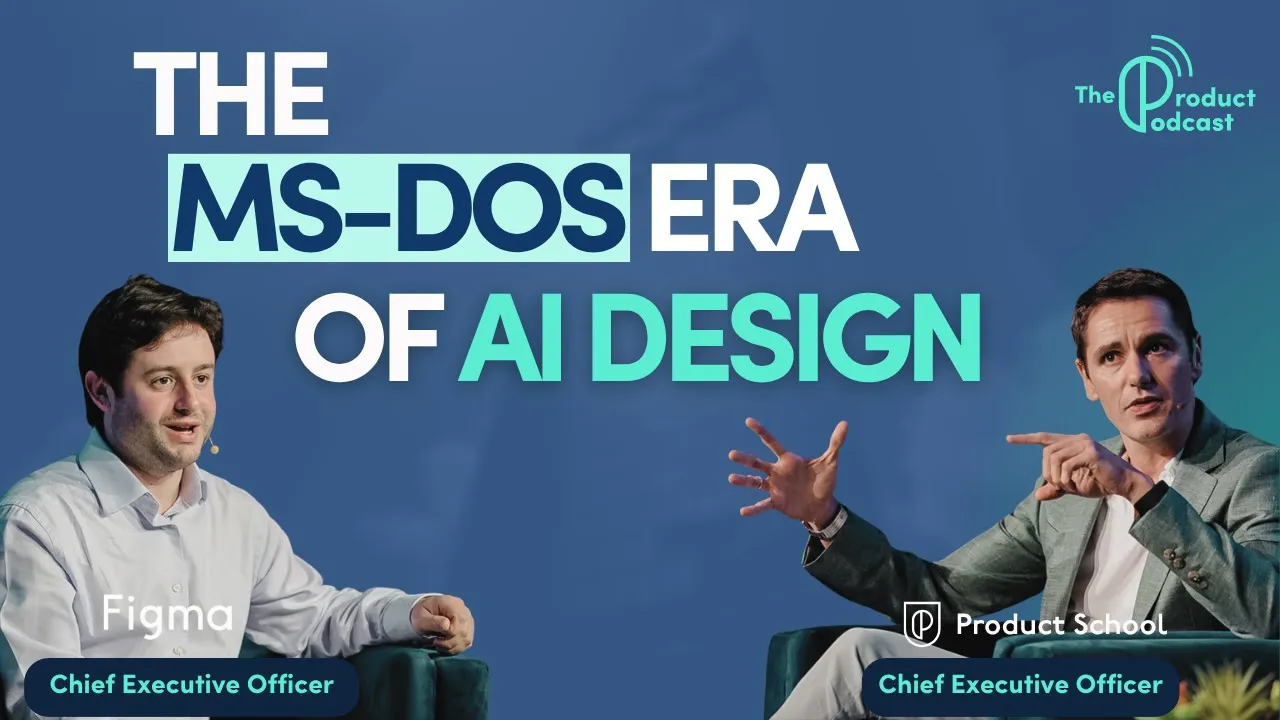
To see why this matters in practice, here’s how Glen Coates, VP of Product at Shopify, described his new workflow on The Product Podcast: “I’ve now started taking screenshots and prompting AI to create a prototype from that. It speeds up the feedback cycle. It also helps me realize how dumb my ideas are before my team has to waste time on them.”
That’s why “smart” prototypes often fail in testing, not because the model is weak, but because the system can’t reliably retrieve the data, shape it, and pass it into the experience in a way that users can trust.
Combining AI with pretotyping/prototyping workflows
To bring it together, AI can be used during pretotyping and prototyping, but also as the subject of these tests:
Using AI in the process: AI helps create prototypes faster (through code or design generation) and pretotypes faster (through simulation of features). This means you can run more experiments in less time. For a product manager, tools like GPT-4 can even generate multiple ideas for pretotyping experiments or analyze qualitative feedback from a test.
Testing AI-based products: If your idea involves AI (say, a new predictive analytics feature), you can pretotype it by manually doing the analysis for a few users or by using a simpler AI tool to mimic it. Then, when prototyping, perhaps use an existing machine learning library or service to build a quick model.
The rapid capabilities of AI align perfectly with the ethos of pretotyping/prototyping: quick learning loops.
It’s now possible to conceive an idea in the morning, use an AI tool to generate a fake demo by afternoon, and have preliminary user feedback by night. That would have sounded like science fiction a decade ago. Teams should take advantage of this to outpace competitors in learning what works.
(One caution: Always be ethical and transparent enough with AI and pretotyping. If you use AI or manual methods to simulate something, ensure no users are harmed or deeply misled. For example, if you're faking an AI doctor assistant, you wouldn't actually give medical advice, just test if users would use it.)
From Pretotyping to Prototyping: Turning Validation Into Confidence
Pretotyping and prototyping are not interchangeable steps. They solve different risks, at different moments, for different reasons. Strong product teams use both deliberately, not interchangeably.
Before you move from idea to build, make sure the fundamentals are covered:
Demand is proven, not assumed. Pretotypes confirm that users care enough to click, try, return, or pay, before design and engineering scale up.
The experience holds up in real use. Prototypes validate flows, usability, edge cases, and whether users can actually complete the job.
The riskiest assumptions are isolated first. Pretotyping reduces demand risk early, while prototyping reduces execution and UX risk later.
AI is used to speed learning, not skip it. AI accelerates early simulations and later prototypes, but validation still depends on real user behavior.
Both deterministic and non-deterministic features are validated intentionally. The same principles apply whether the product is rule-based or powered by AI.
If you do this well, you don’t just move faster. You move with evidence. You stop debating opinions, stop overbuilding, and stop discovering critical problems after launch. You build confidence step by step, first in the idea, then in the experience, and finally in the product you ship.
A CEO's Field Guide to AI Transformation
Research shows most AI transformations fail, but yours doesn’t have to. Learn from Product School’s own journey and apply the takeaways via a powerful framework for scaling AI across teams to boost efficiency, drive adoption, and maximize ROI.
Download Playbook
Updated: April 27, 2026