Inside this article:
This practical guide helps PMs move AI agents from prototypes to production by focusing on operational reliability, safety, and measurable performance.
Reliability & Safety: Use sandbox testing and strict access controls to prevent unintended actions.
Performance Metrics: Prioritize task completion and tool accuracy within strict cost and latency budgets.
Human-in-the-Loop: Ensure agents can gracefully escalate high-stakes or ambiguous tasks to humans.
Real life is messy, and you know it. Now, “AI real life” is messy times 10 (at least in this stage it is). Users improvise, tools time out, data shifts, and tiny edge cases become your top support tickets.
For AI PMs, that’s the uncomfortable truth of deployment. You’re not launching a feature. You’re launching a system that will make decisions, take actions, and occasionally do the wrong thing with high confidence.
In this checklist, we break down the key dimensions of making an AI agent launch-ready. Each area translates technical readiness into the practical assurances needed for a successful launch. Use these as your guide to turn an impressive AI demo into a reliable, trustworthy product that you and your users can count on.
A CEO's Field Guide to AI Transformation
Research shows most AI transformations fail, but yours doesn’t have to. Learn from Product School’s own journey and apply the takeaways via a powerful framework for scaling AI across teams to boost efficiency, drive adoption, and maximize ROI.
Download Playbook
AI Agent Deployment: What It Really Means
Many promising AI prototypes never survive the jump to production. In fact, organizations face nearly a 39% failure rate in AI projects due to inadequate evaluation, monitoring, and governance.
As Karandeep Anand (President and CPO at Brex) quipped on the Product Podcast:
The day a finance team trusts an AI to handle their money is when AI has truly delivered. You can build self-driving cars and cool agents, but try convincing finance people to trust an AI with their money. That’s the real test for the AI agent you’re deploying.
This level of trust is something you should strive for at the very least, and it’s earned through rigorous preparation. Product managers must ensure an AI agent is not just technically sound, but truly production-ready – reliable under pressure, safe within constraints, and aligned with business goals.
AI agent deployment is the work of turning an agent from “it runs on my laptop” into something real users (be it you, your colleagues, or your customers) can rely on every day. It’s not the moment you connect a model to production. It’s the moment you commit to outcomes, safety, and uptime.
In practice, deployment means packaging the AI agent you built as a product capability. It has clear jobs to do, defined boundaries, measurable quality, and predictable behavior under real-world conditions. It also means the agent can operate inside your systems without becoming a risk multiplier.
Meaning, if it can call tools, it needs permissions; if it can take actions, it needs constraints; if it can make mistakes, it needs recovery paths.
A smart agent that occasionally makes a confident mistake is worse than a simpler one that fails safely. That’s why the core of AI agent deployment is operational discipline.
What matters the most before you put an agent in front of people?
✔ Reliability under real conditions. The agent needs to behave consistently across normal usage, edge cases, and stress. If it breaks, it should break in predictable ways.
✔ Guardrails and bounded autonomy. You need clear limits on what the AI agent can do, what it can access, and what it can say. The more power it has, the tighter the constraints should be.
✔ Measurable quality and success criteria. Define what “good” looks like before launch. If you can’t measure success, you can’t ship responsibly or improve quickly.
✔ Safe tool integration. Most agents are only useful when they can act through systems. That also means failures and permissioning become product problems, not just engineering details.
✔ Latency and cost control. An agent that’s too slow becomes unusable. An agent that’s too expensive becomes unscalable. You need a performance and cost budget that matches the product.
✔ Human-in-the-loop and escalation. Decide where the agent must ask, confirm, or hand off. Your design should make these handoffs feel intentional, not like a panic button.
✔ Error recovery and fallback paths. Plan for tool failures, ambiguous inputs, and model uncertainty. A good fallback flow protects users and reduces incident severity.
✔ Observability from day one. You need to see what the agent is doing, why it did it, and where it fails. Without this, you’ll be debugging production behavior with guesswork.
If you want a quick mental model, think of deployment as shifting the question from “Can it respond?” to “Can it be depended on?” That shift is where most AI native teams win or lose the product launch.

1. Reliability Testing Under Real Conditions
Unlike traditional software, an AI agent’s outputs can vary for the same input due to its non-deterministic nature. This means your usual QA playbook needs an upgrade.
AI agents behave unpredictably, so test early and often.
Instead of relying on a few scripted tests that "work in dev," you’ll want to simulate real-world conditions and even worst-case scenarios before launch. Conduct rigorous sandbox testing that mirrors production as closely as possible.
Use identical environments and data where you can, so that staging confidence actually means something in production. Many teams learn the hard way that a model that passes lab tests can still crumble in the wild due to data drift or bizarre edge cases. Try minimizing the chances of that being you.
Test your AI agent across multiple scenarios and stress levels
Normal operations: What does baseline performance look like under typical user loads? Measure key evaluation metrics like accuracy, response time, and success rates in a steady state.
Peak and stress conditions: Can the agent handle traffic spikes or heavy parallel requests without latency blowing up? Verify your auto-scaling works by simulating surge conditions. Define concrete peak targets (e.g. “250 requests per second under 300ms each” as a goal) and see if the agent meets them.
Adversarial or edge cases: Throw chaos at the system (e.g. malformed inputs, network slowdowns, or tool failures) to ensure it can fail gracefully. This might involve rate-limiting the agent, introducing faulty data, or other chaos testing to reveal where things break.
Run these tests in a sandbox or staging environment that matches production settings as closely as possible (same cloud infrastructure, data schemas, API configurations, etc.).
Simulation at scale is invaluable. You can use AI-driven simulators to generate hundreds of diverse scenarios and user behaviors before any real user ever sees the agent. The goal is to surface weaknesses now, not at 3 AM after launch.
When reliability testing is systematic, you turn hopeful promises into data-backed assurances that your AI agent won’t fold under pressure.
2. Guardrails and Constraints for AI Agent Safety
An AI agent doesn’t just generate an answer. It decides what to do next, calls tools, and can change the state of real systems.
That’s why constraints for AI agents are mostly about controlling actions, not wording. When an agent goes wrong, it often looks like the wrong API call, the wrong record updated, a loop of repeated actions, or a confident plan built on a wrong assumption.
What guardrails look like for an agent that can act
Start by treating your agent like a junior operator with superpowers. It can move fast, but it must be boxed into a safe role with clear permissions, clear stop conditions, and a clear escalation path.
Here are the guardrails that matter most for production agents.
Capability scoping. Make an explicit allowlist of tools the agent can use, and which actions inside those tools are permitted. Agents are typically “LLMs using tools in a loop,” so controlling the toolset is controlling the agent.
Least privilege by default. Give the agent the smallest permissions it needs to do its job. If it doesn’t need write access, it shouldn’t have it.
Approval gates for irreversible actions. Anything that moves money, changes customer data, triggers an external message, or deletes something should require a confirmation step or a human approval path.
Pre-execution checks. Before the agent executes a plan, validate it. Check that required inputs exist, tool calls are in-bounds, and the plan matches the user’s intent.
Runtime circuit breakers. Put limits on retries, tool-call counts, and time spent per task so the agent can’t spiral into expensive loops or repeated side effects.
Trusted source of truth. If the agent is about to act based on information, force it to ground decisions in verified system data, not its own memory or prior turns. This reduces “wrong state” actions.
Full audit trail. Log tool calls, inputs, outputs, and decisions so you can reconstruct what happened and why. This is core to operating agents safely at scale.
A useful gut check is simple. A chatbot can embarrass you. An agent can damage something. Guardrails are how you keep autonomy without losing control.
3. Defining AI Evaluation Metrics and Success Criteria
An AI agent is more than an answer generator. It’s a system that plans, uses tools, and takes actions, so your AI evals have to cover the full loop: decision quality, action correctness, and user outcomes.
If you can’t clearly define “good,” you can’t safely ship, iterate, or defend the rollout when things get messy. Product School’s AI evals course is built exactly for this shift, from vibe checks to real evaluation discipline.
What to measure for an agent that can act
Start with a small set of AI evaluation metrics that map to how agents succeed or fail in production, then turn them into release gates.
Task completion rate. Did the agent fully complete the user’s goal, end to end, without human rescue?
Tool correctness. Did it choose the right tool, call it correctly, and use the output properly, without unnecessary calls?
Recovery and escalation. When a tool fails or uncertainty is high, does the agent recover cleanly, ask for clarification, or escalate appropriately? Track escalation rate and “stuck loop” frequency.
Efficiency. How many steps, tool calls, tokens, and seconds does it take per successful outcome? This is where cost and latency get real.
Trust and predictability. Do users feel the agent is consistent and dependable across similar situations, not just occasionally brilliant?
Then set explicit thresholds before launch and treat them like shipping gates. If task completion drops, escalation spikes, or tool correctness regresses, the release pauses until the agent is back within spec.
If you want a deeper playbook for building eval suites and choosing metrics, Product School has a full AI evals primer for AI PMs and a dedicated guide on evaluation metrics that goes beyond accuracy.

4. AI Agent Tool Integration and Dependency Management
An AI agent becomes “real” the moment it can take actions through tools. That’s also the moment your risk shifts from wrong answers to wrong side effects: the wrong record updated, the wrong email sent, the wrong workflow triggered.
Treat tool use like production infrastructure, not a feature add-on. AI tools need contracts, budgets, and failure behavior that the agent can rely on.
What a production-grade tool layer looks like
Design tools so they’re easy for the agent to use correctly and hard to use dangerously. That starts with tight schemas, clear boundaries, and deterministic behavior around failures.
Here’s the checklist that usually separates “works in a demo” from “survives production.”
Make tools task-shaped, not endpoint-shaped. One tool should represent one user-relevant action, with a strict input/output schema and examples of correct usage.
Add timeouts, retries, and backoff by default. Assume upstream services will be slow or flaky sometimes, and make the agent resilient to that reality.
Require idempotency for any state-changing call. If a tool can create, update, send, charge, or delete, it must tolerate duplicate calls safely so retries don’t duplicate side effects (idempotency means ensuring that repeating an action has the same result as doing it once).
Separate planning from execution. A simple “plan, confirm, execute” pattern reduces accidental actions and makes it easier to insert approvals for risky steps.
Make execution durable. Persist state between steps so the agent can resume after a crash or timeout without repeating completed work.
Test tool behavior like you test reliability. Same environments, same permissions, same rate limits, same failure modes, because integration bugs don’t care about your staging optimism.
Version tool definitions like code. When a schema changes, your agent can silently degrade, so treat tool contracts as a release artifact with regression tests.
If you, as an AI PM, do this well, the agent becomes predictable even when the world isn’t. And that’s the real goal of AI agent deployment: useful autonomy with controlled blast radius.
5. AI Agent Deployment: Latency and Cost Optimization
Agents are multi-step systems. They think, call tools, fetch context, think again, and only then act. Every extra step adds delay, and for LLM-based agents, every token also adds both latency and spend.
That’s why production teams treat latency and cost like product requirements, not engineering cleanup. If the agent is slow, users abandon it. If it’s expensive, finance eventually kills it.
How to set budgets and keep them in check
Start with explicit budgets that match the job your agent is doing. You want targets for response time, cost per successful task, and a hard ceiling that prevents runaway behavior.
A practical set of budgets looks like this:
Latency budget per step and end-to-end (including slowest requests, not just average).
Token and context budget (max input context size, max output length, max tool-call loops).
Cost per successful task (not cost per request), because retries and tool calls are the real bill.
Then you design the agent to stay inside those budgets.
Use the smallest capable model for each step. Route cheap models to routine work (classification, extraction, routing) and reserve bigger models for high-stakes reasoning.
Cache aggressively where it’s safe. Prompt caching and reuse of repeated instructions can cut input costs and latency dramatically, especially when your system prompt and tool schemas are large.
Stream outputs when it improves product experience. Users feel speed when they see progress, even if total compute time is similar.
Reduce context bloat. Don’t shovel the entire world into every call. Use retrieval selectively, summarize, and pass only what the agent needs for the next step.
Parallelize tool calls carefully. If two lookups are independent, do them in parallel, but cap concurrency so you don’t DDoS your own systems or inflate costs.
Finally, instrument cost and latency like you instrument uptime. Track token usage, cost by workflow, and step-level latency, then alert on anomalies like “sudden token spikes per user” or “loop count exceeding threshold.” The agent should feel fast, stay predictable, and scale without surprises.
6. Human-In-The-Loop and Escalation Mechanisms
When an AI agent can take actions, “letting it run” is a product decision, not just an engineering one. For irreversible or high-impact actions, the safest default is to require human approval or fall back to a deterministic workflow when confidence is low.
The goal isn’t to babysit the agent. The goal is to design autonomy so it earns trust, step by step, without expanding the blast radius.
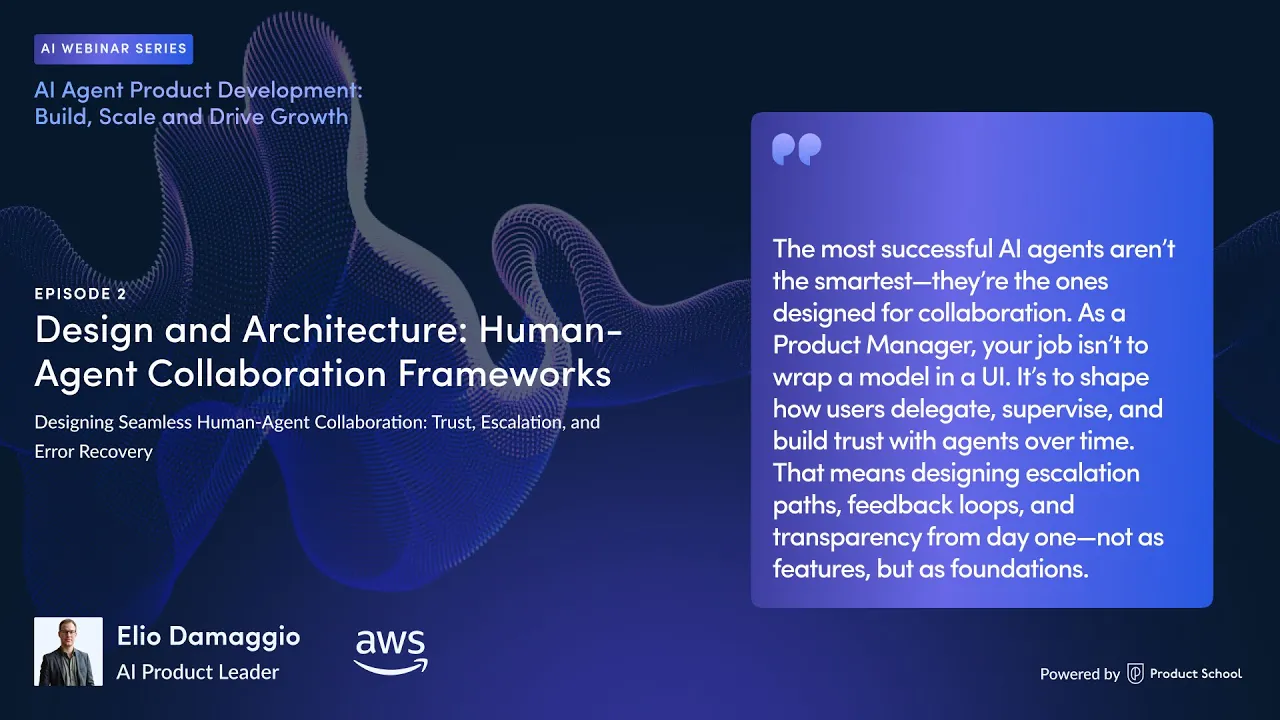
As Elio Damaggio (Head of Product at Amazon) puts it on the Product Podcast’s AI series:
Effective escalation is not about admitting failure. It’s about recognizing when the agent needs human judgment, creativity, or authority.
Where humans should step in
A good human-in-the-loop design is specific. It defines which actions require approval, which signals trigger escalation, and how handoffs happen without making users repeat themselves.
Here’s a AI PM-friendly checklist that maps cleanly to real agent workflows.
Approval gates for risky actions. Anything like billing changes, payroll-like actions, schema changes, sending messages, deleting data, or writing to production systems should pause and ask for explicit approval.
Confidence and ambiguity triggers. If the agent is unsure, missing required data, or sees conflicting signals, it should stop, ask a clarifying question, or escalate instead of guessing.
Error and loop triggers. If tool calls fail repeatedly, time out, or the agent keeps retrying, trigger a circuit breaker and hand off to a human or a simpler workflow.
Sample-based human review. Even when things look fine, have humans review a slice of sessions to catch new failure modes early and improve your eval set.
Smooth handoff UX. If the agent escalates, the human should get the full context: intent, steps taken, tool outputs, and what the agent was trying to do.
If you want a simple design pattern, aim for plan, confirm, execute. Human-in-the-loop approvals are a way to automate processes while ensuring the right approvals happen before execution continues.
7. AI Agent Error Recovery and Fallback Planning
An AI agent is a chain of steps that touches real systems. That means failures don’t look like the page didn’t load. They look like partial work, inconsistent state, repeated tool calls, or a workflow that gets stuck halfway through.
Production readiness here comes down to one thing. When the agent can’t complete the job, can it recover safely without creating more damage?
How to design recovery paths that actually work
Build recovery into the workflow. If you only think about failures after launch, you’ll end up shipping a fragile system that requires humans to clean up after it.
Here’s the checklist that keeps agent failures contained.
Fail in a controlled way. If the agent can’t finish, it should stop, explain what happened in plain language, and offer a next step. The next step is usually a human handoff or a simpler fallback flow.
Treat tool failures as normal. Tools will time out, return invalid data, or get rate-limited. The AI agent you built should retry a small number of times with backoff, then switch paths instead of looping.
Make state changes safe to repeat. If a tool call can create, send, charge, update, or delete, design it so a retry won’t duplicate the side effect. This is where idempotency and “dry run” modes save you.
Separate planning from execution. A plan can be wrong and still be useful. Executing a wrong plan can be expensive. Use a “plan, verify, execute” pattern so you can validate the plan before anything changes in the real world.
Version everything and be able to roll back fast. Aide from code, agents are prompts, tool schemas, routing logic, and configs. If quality drops after an update, you want a clean rollback path, not a week-long incident.
Practice incidents like you practice launches. Run tabletop drills for common failure modes: tool outage, bad data, sudden spike in traffic, the agent stuck in loops. You’re not trying to predict every issue. You’re trying to make recovery boring.
A good rule of thumb is: users should always have a backup option. If the agent can’t proceed, the product should still offer a safe alternative path that gets the user to an outcome, even if it’s slower or manual.
8. AI Agent Deployment Monitoring and Observability in Production
Once an agent is live, the hard part starts. Agents don’t just return outputs; they run workflows across tools and systems, so failures can hide in the middle of a multi-step run and only show up as “the user didn’t get the outcome.”
This is why product teams shift effort from pre-launch QA to ongoing evaluation and observation in the real environment. The logic is that you have to invest heavily in ongoing AI evaluation and ongoing observation of what your agents are doing in production.
How to debug an agent
If you only monitor uptime and latency, you’ll miss the agent-specific failures. You need a “flight recorder” that shows what the agent decided, what it called, and what happened next.
Here’s a compact list that works for most teams:
Traces across the full run. Capture end-to-end traces that connect model calls, retrieval, and tool invocations into one timeline. This is exactly what distributed tracing is for: seeing a request propagate through a complex system.
Structured logs for every step. Log the agent’s plan, the tool selected, the tool inputs/outputs, and the final action taken. That gives you root-cause visibility when a workflow fails halfway through.
Metrics that map to outcomes. Track task success rate, step completion rate, tool error rates, fallback rate, and “looping” signals like excessive tool-call counts. This is where you catch agents that technically respond but don’t finish the job.
Cost and latency budgets with alerts. Monitor token usage, tool-call volume, and p95 latency per step and end-to-end. Alerts should fire on meaningful deviations, not noise.
Quality checks that become guardrails. Treat evals as something that can run continuously and enforce behavior in production, not just something you do once offline.
Lastly, instrument for different audiences. Engineers need traces and failure breakdowns. Product leaders need trend views like task success rate, human handoff rate, and cost per successful task, because that’s what decides whether the agent scales.
From Prototype to Production: Bringing AI Agent Deployment Together
AI agent deployment isn’t a single release. It’s a commitment to run a decision-making system in the real world, where tools fail, users behave unpredictably, and small gaps turn into big incidents.
The job of an AI product manager is to turn “it works” into “we can rely on it.” That means translating technical readiness into launch readiness, with clear gates and clear ownership.
Before you ship, do one last pass through the essentials.
Reliability proven in a production-like sandbox. It holds up under load, edge cases, and tool failures, not just happy paths.
Guardrails are enforced at the action layer. The agent has bounded permissions, approval gates for risky steps, and circuit breakers for loops.
Evals and success metrics locked in. You know what “good” means, you can measure it, and you have thresholds that block a bad release.
Fallbacks and recovery-ready. When the agent can’t finish the job, it hands off cleanly and doesn’t leave a broken state behind.
Observability lives from day one. You can trace decisions, tool calls, failures, latency, and cost all the way to user outcomes.
A smart final move is to roll out in controlled stages. Start with a small pilot group or limited traffic, watch the metrics, then expand gradually only if the agent stays within spec.
If you do this well, you don’t just launch an agent. You launch trust, and you keep it.
Transform Your Team With AI Training That Delivers ROI
Product School's AI training empowers product teams to adopt AI at scale and deliver ROI.
Learn more
Updated: February 9, 2026