Companies I have talked to have an AI tool problem because nobody ever asks what to do with a tool once it stops earning its place. AI made that question urgent.
In the AI transformations I was involved with, I've watched product teams that take this seriously rationalize up to 66% of their SaaS stack. "You're able to consolidate up to about 66% of your tools if you take the right approach," is how I put it on stage at ProductCon New York, and I want to unpack what that right approach looks like.
The framework is three buckets: kill, replace, and build. And the funny part is that this was never really a cost exercise. It’s a tool stack integration exercise and the cost-saving bit follows intuitively..
This piece is for product leadership deciding what stays, what goes, and what gets rebuilt in-house as AI reshapes the tool stack. By the end, you'll have the framework and a concrete audit you can run on your own tools this quarter.

Key Takeaways
Teams that rationalize their tool stack well can cut it by up to 66%, but the goal is integration and not really the cost saving..
The tool consolidation framework has three buckets: kill tools nobody uses, replace tools that aren't AI-native, and build in-house where switching cost is low.
The average company now runs about 305 SaaS applications. While that number has stabilized, total spend is still rising roughly 8% a year, according to Zylo's 2026 SaaS Management Index.
Spend on AI-native applications grew 108% year over year overall, and 393% at large enterprises, which is exactly the direction the replace bucket points teams toward.
A fragmented tool stack is a fragmented context window for every AI agent that has to work across those tools.
The end state is the smallest number of tools that are the most deeply integrated.
Product School offers a tool stack through free access to the best AI tools on the market, at a fraction of what it would cost to license them individually.
What Is a Tool Stack Consolidation in the AI Era?
SaaS consolidation is the process of reducing the number of software tools an organization pays for and using fewer, better-integrated systems in their place. In the AI reality we’re in, the bar for "better integrated" has changed. The tools now have to work for multi-agent systems aside from humans, expecting the same old product experience.
Consolidation done for budget reasons alone tends to just delay the next round of sprawl. The moment the pressure lifts, the tools creep back.
Consolidation done for integration reasons changes what the stack has a potential to do. Aside from a bill, you are removing the seams where work gets stuck. That is a permanent structural gain as well as a long-term or temporary saving.
AI Product Strategy for Leaders
By the end, you will possess a board-ready AI Strategic Roadmap and Governance Framework, positioning you not just as a product builder but as the executive leader driving your company’s transformation.
ENROLL NOW
Why AI Tool Sprawl Is a Bigger Problem Than It Looks
Tool sprawl is now large enough, and expensive enough, that most product organizations are paying for a scale of software they never consciously decided to reach.
Zylo's 2026 SaaS Management Index, built on more than 40 million licenses and $75 billion in tracked spend, found the average company manages roughly 305 SaaS applications. Portfolio size has actually flattened recently, but total spend still rose about 8% in a single year. This tells you the problem shifted from buying more tools to paying more for the ones you already own.
That spending is not free money coming from somewhere painless. The same report found that 61% of IT leaders were forced to cut projects or initiatives in the past 12 months because of unplanned SaaS cost increases.
Every dollar of sprawl is competing directly with something on your product roadmap.
I’ve seen this happening even at companies convinced they have governance. According to the same index, business units now control 81% of SaaS spend, while IT directly manages just 15% of it. The people with the clearest view of the product stack are almost never the ones buying into it, so of course it keeps growing.
The Kill, Replace, Build Tool Stack Consolidation Framework
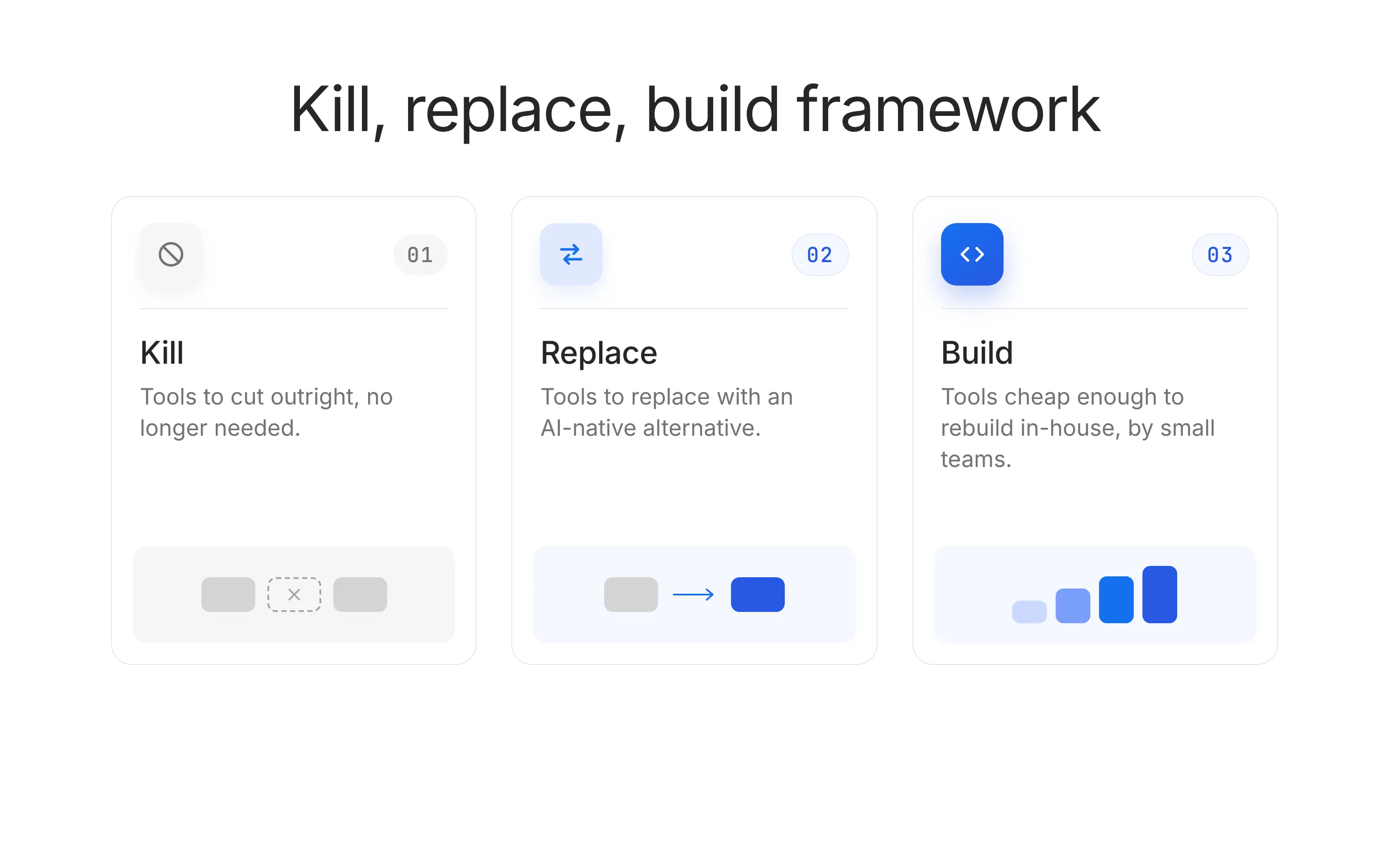
Every tool in your stack falls into one of three buckets:
Tools to cut outright
Tools to replace with an AI-native alternative
Tools cheap enough to rebuild in-house
The discipline is simply running every tool through this test instead of renewing by default, because default renewal is how a stack becomes a museum of past decisions.
Before the buckets, the reframe that should color how you read all three. "New tools are a forcing function for the AI native teams to drive better integration between the different systems."
The savings are a byproduct. The integration is the point. Here is the framework at a glance before we go through each bucket in detail:
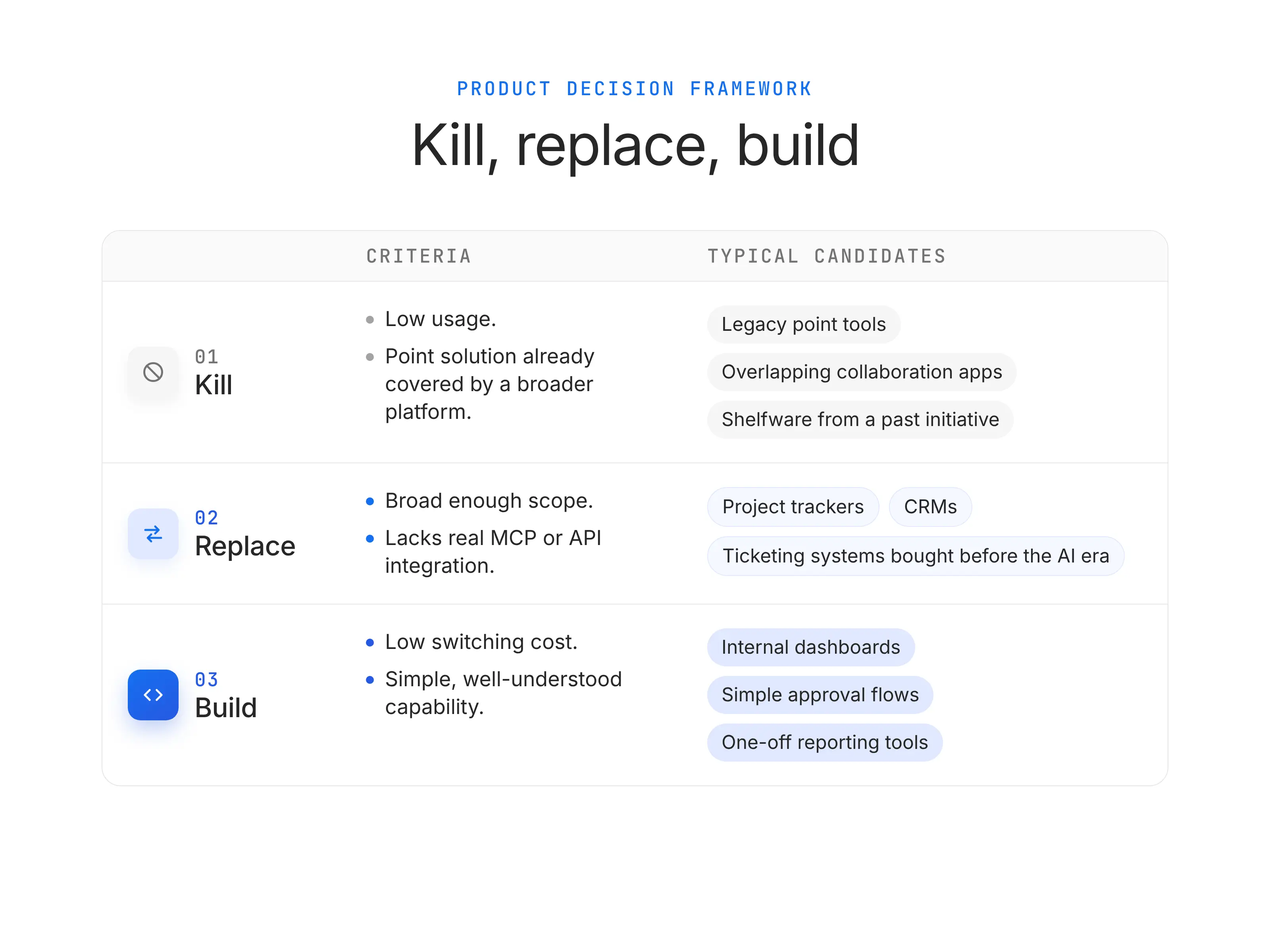
Bucket | The question to ask | Criteria | The move | Typical candidates |
1. Kill | Is anyone actually using this? | Low usage, or a point solution a broader platform already covers | Cancel it, no replacement needed | Legacy point tools, overlapping collaboration apps, shelfware from a past initiative |
2. Replace | Does this tool block our AI workflows? | Broad enough scope, but lacks real MCP or API integration | Swap it for an AI-native alternative built for agent access | Project trackers, CRMs, ticketing systems bought before the AI era |
3. Build | Could we build this ourselves? | Low switching cost, simple, well-understood capability | Build an in-house version and drop the license | Internal dashboards, simple approval flows, one-off reporting tools |
1. Kill: Tools nobody is using anymore
The kill bucket is any tool with minimal real usage or a capability another platform already covers. The correct move is to cancel it with no replacement at all. It is the easiest bucket to execute and the most poorly practiced, because renewals default to auto-renew and you know how that goes.
Zylo's 2026 index found that organizations leave an average of 36% of their SaaS licenses unused. Over a third of the typical stack is already a kill candidate before anyone even opens the harder integration questions.
The specific tools I see stuck in this bucket almost every time I run this audit fall into four patterns:
Pilot survivors, meaning tools introduced for a specific initiative two years ago that kept renewing after the initiative ended
Single-champion tools, where one person loved the product, that person left, and the seats stayed
Overlapping point solutions, most often three or four flavors of the same product tool. A Notion and a Confluence and a Google Docs living in parallel, or a Miro and a FigJam and a Lucidchart all charging per seat for the same job
Genuine shelfware, meaning tools bought during a procurement cycle that never got real adoption because change management was underinvested
There is a specific situation that keeps this bucket bigger than it should be. When a business unit buys a tool outside IT and expenses it to a departmental card, nobody at the center ever sees the renewal, so it never enters the audit.
The most useful move here is to pull spend data from expense reports and accounts payable together, not just IT-managed contracts, because that is where the invisible half of your stack lives.
When you execute this bucket, do it fast and do it visibly. There is no negotiation, no migration plan, no retraining, and no change management. Clear the low-signal noise from the stack so the harder judgment calls in the (2) replace and (3) build buckets stop competing with obvious waste for airtime.
One cautionary warning I give every team before they cut: check usage data at 90 days, not 30.
Seasonal or quarterly tools like planning software, board reporting tools, and end-of-quarter analytics platforms look dead for 60 days and then get used hard for two weeks. Kill on a 30-day usage read and you will end up buying them back mid-quarter at worse terms.
2. Replace: Tools that aren't built for how AI agents work
The replace bucket is tools worth keeping in concept but not in their current form. They usually cover the right scope but were never built for AI agent orchestration. The fix is swapping them for an AI-native alternative that exposes real integration standards.
An AI-native replacement needs to clear two bars a legacy tool cannot.
It has to cover a genuinely broad scope rather than one narrow job
It has to expose that scope through MCP connectors and well-defined APIs.
This way, an AI agent can read from it and write to it without a human-in-the-loop as the integration layer.
The tools I see land in the replace bucket most often are exactly the ones product teams touch daily:
Legacy project trackers where PMs still copy statuses into a status document by hand every Friday, because the tool has no clean way for an agent to read them
CRMs that predate the AI era and treat their API as a compliance checkbox rather than a real interface
Ticketing systems that require a human to categorize every incoming issue
Product analytics tools with dashboards no agent can query in natural language
Documentation tools that render beautifully to a browser and impenetrably to any system trying to consume the content programmatically
There is a specific situation that reliably flags a replace candidate. Ask your team where they spend time copying information from one screen into another. Every copy-paste workflow in your organization is a place where a human is being paid to do integration work the tool should be doing itself.
The nuance I want to add is that replacement is a two-clock problem for your AI product strategy.
Vendors know AI-native pressure is coming. Many are shipping MCP support or AI features into their existing products right now, so a tool that fails the bar this quarter may pass it next quarter. Before you commit to a rip-and-replace, ask the vendor's account team specifically about MCP roadmap and public API depth. Sometimes the fastest replacement is your current vendor's next release.
One tactical note on procurement as well. Multi-year contracts signed before the AI era are the single biggest structural drag on this bucket. They lock you into pre-AI tooling for the exact window when the ground is shifting under you. If you are signing anything today, single-year with a clear off-ramp is worth paying a premium for.
The option value of being able to swap in an AI-native alternative in twelve months is genuinely large.
3. Build: Tools cheap enough to replace with your own code
The build bucket is small, simple tools where the switching cost is low enough that building an in-house replacement is cheaper than continuing to license one. AI-assisted development is what makes this bucket viable at all. Five years ago this bucket barely existed for anyone outside engineering, because building even a simple internal tool meant borrowing engineering time nobody could spare.
I’ve said this at the ProductCon and I stand by it: "If the switching cost is low, sometimes it makes sense to just build your own solution and not have to worry about paying more licenses."
Vibe coding, meaning letting AI generate the code, is what turns this from a wish into a real option for AI Builders and AI PMs.
The tools I see teams successfully build in-house cluster in three categories:
Internal dashboards, meaning small reporting or status views that used to require a BI license per seat but really only need to display numbers pulled from an existing warehouse
Lightweight approval flows, meaning the sort of "route this to Sarah, then to legal, then notify Slack" workflows that used to require a full workflow platform to configure
One-off analysis tools built around a specific business question, which used to sit in a shared spreadsheet that nobody trusted and which, built as a small internal app, become durable
The boundary matters, though, and this is where I see teams over-apply the bucket and regret it. This only works for genuinely simple, well-understood capabilities, and the classic build versus buy tradeoffs still apply.
Your CRM, your identity provider, your billing system, and anything touching real customer data or regulated workflows all belong in the replace bucket and probably not the build bucket. The cost of getting those wrong mostly dwarfs any license fee you would save.
The rule I use: if a failure would end up in front of a customer, an auditor, and your CFO, buy it.
There are two hidden costs of build I want to name plainly. They are exactly what turns into a slow leak twelve months later.
The first is maintenance.
A working internal tool is not a finished internal tool. It needs someone to update it when APIs change, patch it when dependencies break, and add features when the team's needs evolve. Build without an owner, and the tool degrades until people go back to their spreadsheets.
At that point you have paid the build cost and kept the problem. Far from ideal.
The second is documentation.
A tool built by one PM in an afternoon is only useful for as long as that PM is around to explain it. Before you claim a build-bucket win, ask whether a new hire could figure out what the tool does, how it works, and how to fix it, from a README rather than by hunting down the builder in Slack.
Treat each build-bucket tool as a product with a real owner, a real changelog, and a real deprecation plan, or do not build it. If the tool is genuinely too small for that overhead, that is a signal it was small enough to just be a saved query or a spreadsheet with a script attached. None of the two have licensing costs to begin with.
More Integrated Tools Matter More for AI Agents Than for Humans
A fragmented tool stack was always a cost problem for humans. Now it is also an accuracy problem for agents. Every tool boundary is a place where an agent has to stop, translate, and reconcile information.
This is the same mechanism behind why over-composing an AI system hurts its accuracy. I dug into it in our piece on production AI architecture and agent composition. A messy tool stack is really a messy context window wearing a procurement budget's clothing. The seams you tolerate for humans become failure points for agents.
Here’s something interesting. Chroma's research team tested 18 frontier language models and found that every one of them degraded measurably as the input context grew longer and more fragmented. Scatter your work across thirty loosely connected tools and you are handing your agents the fragmented context that research shows breaks them.
Which is why the end state I care about is not a smaller invoice. "You just want the smallest possible number of tools, highly integrated to MCPs, well-defined APIs, and CLIs, so data can flow even if that data is unstructured."
That nuanced I shared at the ProductCon is the whole mental model. Fewer tools, connected deeply, so both your people and your agents can move through them without friction.
How to Run a Kill, Replace, Build Audit on Your Own Stack
Pull a full inventory of every tool with an active license, including the ones bought outside IT. You cannot bucket what you cannot see. Since business units control the large majority of spend, most organizations are only looking at a fraction of their real stack when they start.
Run every tool through the kill test first. Usage data decides this bucket, not opinions or loyalty. If nobody can name who uses a tool weekly, it is a kill candidate, full stop.
For everything that survives, check the AI-native bar. Does the tool cover broad scope, and can an agent actually act on it through an API or MCP connector, or does a human still have to be the integration layer between it and everything else. If a person is still the glue, it is a replace candidate.
For the smallest, simplest tools, ask the build question honestly. Is the switching cost genuinely low, and is the capability simple enough that a product person could build a working replacement.
That fourth move is where most teams freeze, because building used to require engineering headcount they did not control. Product School's Vibe Coding certification is built for exactly this, taking you from idea to a working internal tool fast enough that the build bucket becomes a real option.
Here is the checklist I would run a team through before acting:
Move | Ask your team | You are ready to act when |
Inventory everything | Do we know every tool with an active license, including ones bought outside IT? | A single list exists, and it includes tools business units bought directly |
Kill what's unused | Can anyone name who uses this weekly? | Usage data, not opinion, has ruled a tool in or out |
Replace what isn't AI-native | Can an agent act on this tool directly, or does a human still relay information? | Every kept tool has a real API or MCP path, not just a login screen |
Build where it's cheap | Is the switching cost genuinely low and the capability genuinely simple? | The team can name the specific small tools worth building in-house |
This tool work is one initiative inside a much larger shift. If you want the full operating model it sits within, I laid that out in why 80% of product teams are stuck at the false summit of their AI transformation.
You're right, several of those "if no" statements were pretending to be rules when they're really judgment calls. Here's the cleaner version. I flagged only the genuinely non-negotiable ones as definitive, and softened the rest to point in a direction rather than dictate an outcome.
The Kill, Replace, Build Tool Inspection Checklist
# | Stage | Question to answer | What "good" looks like | Bucket signal |
1 | Visibility | Do we have this tool in our official inventory? | The tool appears in a single, centralized list that includes IT-managed, business-unit-managed, and expense-card-purchased tools | If no: fix visibility first, since you cannot audit what you cannot see |
2 | Visibility | Who is the accountable owner for this tool, by name? | One person owns the tool's cost, renewal, and outcome, and they know they own it | If no owner: assign one before scoring the tool |
3 | Visibility | What is our total annual spend on this tool, including all seats, tiers, and consumption charges? | A single number, current within the last 30 days, that includes usage-based fees | If unknown: pull spend from expense reports and AP alongside IT contracts before proceeding |
4 | Usage | How many licensed seats have been active in the last 90 days? | Real usage data from the tool's admin panel or an SSO/SaaS management platform | If well under half: strong signal to investigate for kill, at minimum for the unused portion |
5 | Usage | Is this a seasonal or quarterly tool? | Documented usage pattern shows expected spikes | If yes: extend the usage window to a full quarter before scoring further |
6 | Usage | Can anyone on the team name a specific person who uses this tool weekly? | A named user, not a role, and confirmed by that user | If no: likely kill candidate, worth verifying against usage data |
7 | Overlap | Does another tool in our stack already cover this capability? | A defensible answer to "why do we need both," ideally with the specific job each tool does uniquely | If yes and the jobs genuinely overlap: candidate for consolidation |
8 | Overlap | Are we running multiple flavors of the same category, like three docs tools or three whiteboard tools? | One primary tool per category with clear rules for when the alternatives are used | If yes without clear rules: consider consolidating, weigh switching cost per user |
9 | AI readiness | Does this tool have a public, well-documented API? | An API you could hand to an engineer today and have them build against by end of day | If no: strong replace signal |
10 | AI readiness | Does this tool support MCP, or does the vendor have MCP on the public roadmap? | Either a live MCP connector, a documented commitment with a date, or a credible engineering conversation confirming both | If neither and MCP matters for your workflows: lean toward replace |
11 | AI readiness | Where do humans on our team copy information out of this tool into another system by hand? | A short, honest list of copy-paste workflows the tool creates | If any exist: signal the tool has failed the AI-native bar; weight by how much time these workflows actually cost |
12 | AI readiness | Can an AI agent take a meaningful action inside this tool without human relay? | A specific example that works today, tested end-to-end, not a vendor demo | If no and this tool sits inside a planned agent workflow: replace candidate |
13 | AI readiness | Does this tool need to be part of an agent workflow in the next 12 months? | An honest yes/no based on the team's roadmap | If yes and it fails questions 9 through 12: prioritize the replace |
14 | Scope | Is this a point solution or a broad platform? | A broad platform covers multiple related jobs; a point solution does one narrow thing | If point solution and a platform already covers it: consider kill or replace |
15 | Scope | Would consolidating this tool into a broader platform reduce our total tool count meaningfully? | A named target platform that would absorb this tool's job at similar or better quality | If yes: replace signal, weigh migration cost against integration gain |
16 | Contract | When does the contract renew, and what are the notice period requirements? | Renewal date, notice window, and auto-renewal terms all documented and monitored | If unknown: document today, before accidental renewal |
17 | Contract | Are we locked into a multi-year contract signed before AI-native tools existed as options? | A clear-eyed acknowledgment of the lock-in and its expiry date | If yes: often best to plan the replace for the renewal window rather than fight the contract mid-term |
18 | Contract | Has the vendor increased price or introduced consumption-based charges in the last 12 months? | Historical pricing data compared to current invoice | If yes: useful leverage at renewal, and worth revisiting whether the tool still earns its place |
19 | Build viability | Is this tool doing something genuinely simple and well understood? | The core capability could be described in three sentences to a competent engineer | If yes and questions 20 through 22 also pass: build candidate worth considering |
20 | Build viability | Would a failure of this tool ever be seen by a customer, an auditor, or the CFO? | An honest assessment of blast radius, including edge cases | If yes: buy, do not build |
21 | Build viability | Can we identify a named owner willing to maintain the in-house replacement for at least 12 months? | A specific person committing to updates, patches, and documentation | If no: do not build, since unowned tools degrade quietly |
22 | Build viability | Could a new hire understand and modify this tool from documentation alone? | A README or equivalent that answers what it does, how it works, and how to fix it | If no: build is not yet ready, or the in-flight build needs documentation before being called done |
23 | Risk | Does this tool store, process, or transmit regulated data (PII, PHI, financial records, source code)? | A documented data classification, ideally reviewed by security or legal | If yes: buy, do not build, and involve security in any replace decision |
24 | Risk | Does removing or replacing this tool break a compliance or audit requirement? | A clear answer, verified with the compliance owner, not assumed | If yes: replace with an equivalent, do not kill outright |
25 | Risk | If we killed this tool today, what specifically would stop working, and who would notice first? | A short list of concrete downstream dependencies and named affected users | If meaningful dependencies exist: plan the migration or the replacement; if nothing real breaks: kill candidate |
26 | Decision | Which bucket does this tool land in based on the answers above: kill, replace, build, or keep? | A single answer, with the two or three questions above that drove it | Assign the bucket and the two or three questions that drove the call; revisit "keep" at the next audit cycle |
27 | Decision | What is the specific next action, by whom, by when? | A named owner, a concrete action, and a calendar entry | Without an owner and a date, the audit produces insight but no outcome |
It Was Never About the Number of Tools
This was never really about how many tools you have or how big the bill is. It is about whether your stack is built for agents.
Kill what nobody uses, replace what your agents cannot reach, and build the small things yourself.
Do that, and you end up with fewer tools, connected more deeply, ready for both your people and the fleet of agents working alongside them.
If you are ready to start filling your own build bucket, Product School's Vibe Coding certification is the place to begin. If however, you’re still looking to learn about AI agents, our Advanced AI Agents course is tailored to nudge you to an AI native level.
Vibe Coding Certification
Go from idea to prototype in minutes. Build, debug, and scale AI prototypes with the latest tools to integrate APIs securely and hand off to engineering fast.
Enroll now
Updated: October 22, 2026